All work / eChannelling · Web & mobile
Health Plus
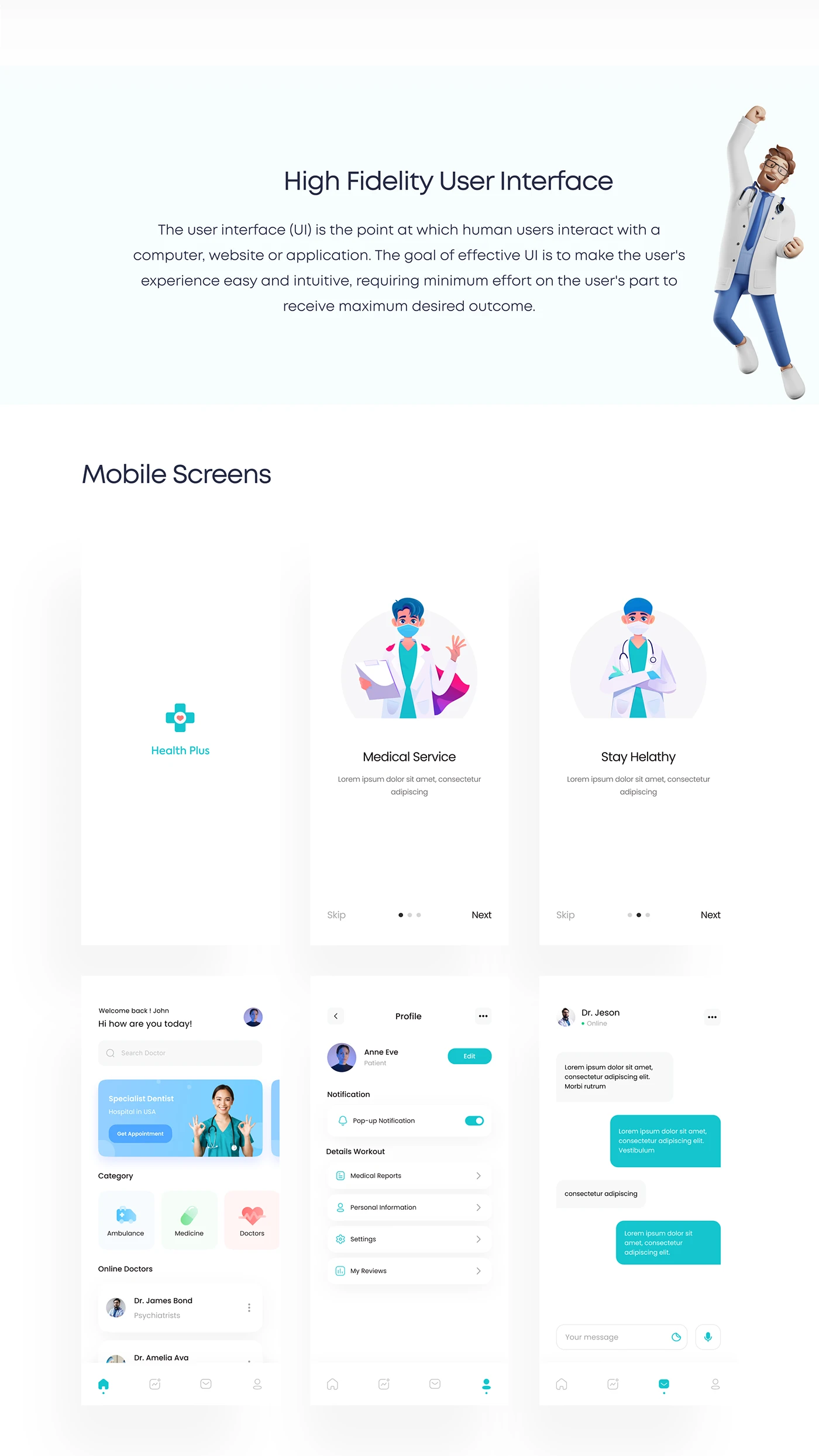
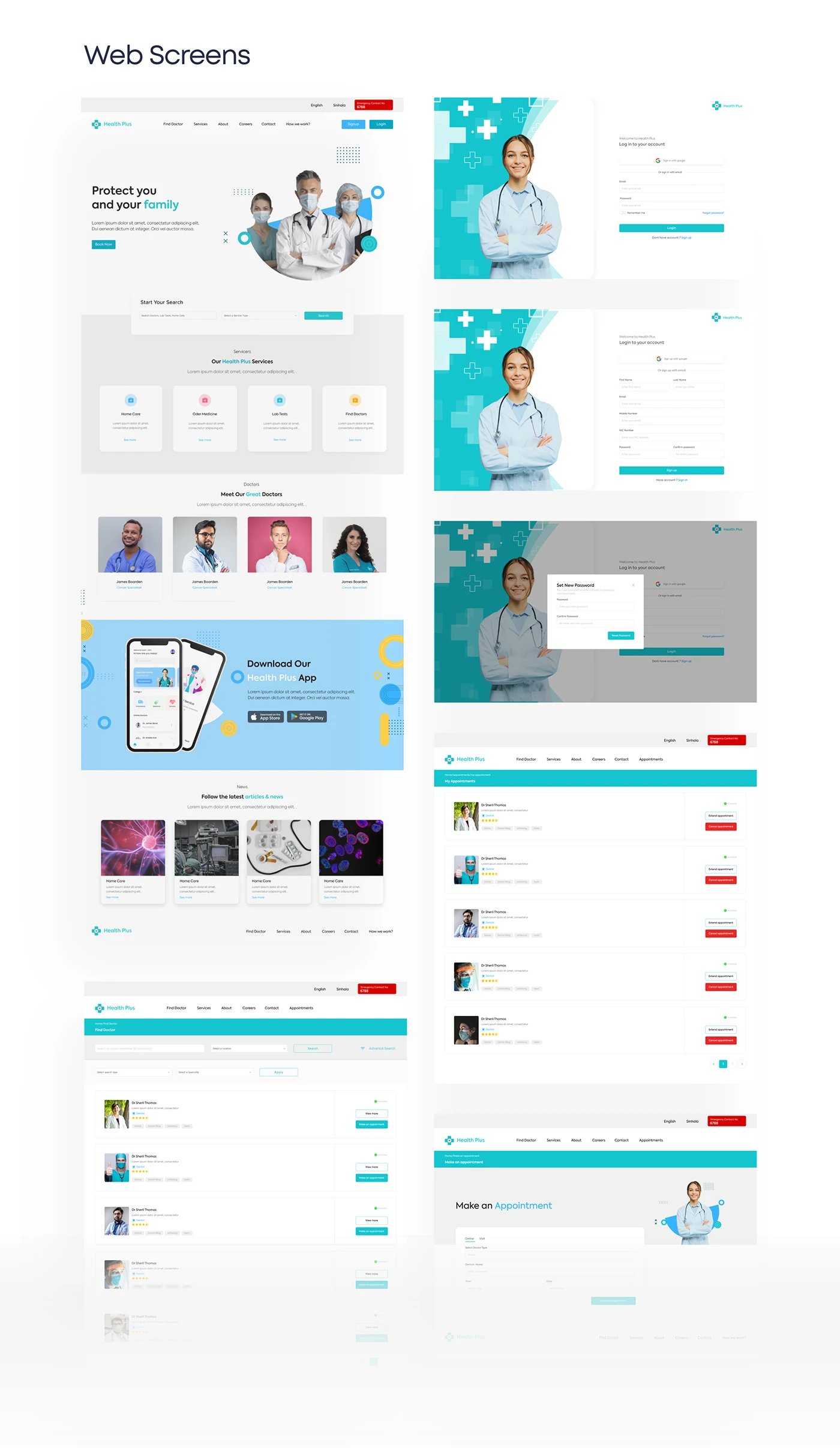
An eChannelling platform that lets patients find a verified specialist, see real availability, book instantly, consult by video and keep track of daily medication — with separate journeys for doctors and administrators.
Full case on Behance (opens in new tab)
Context & problem
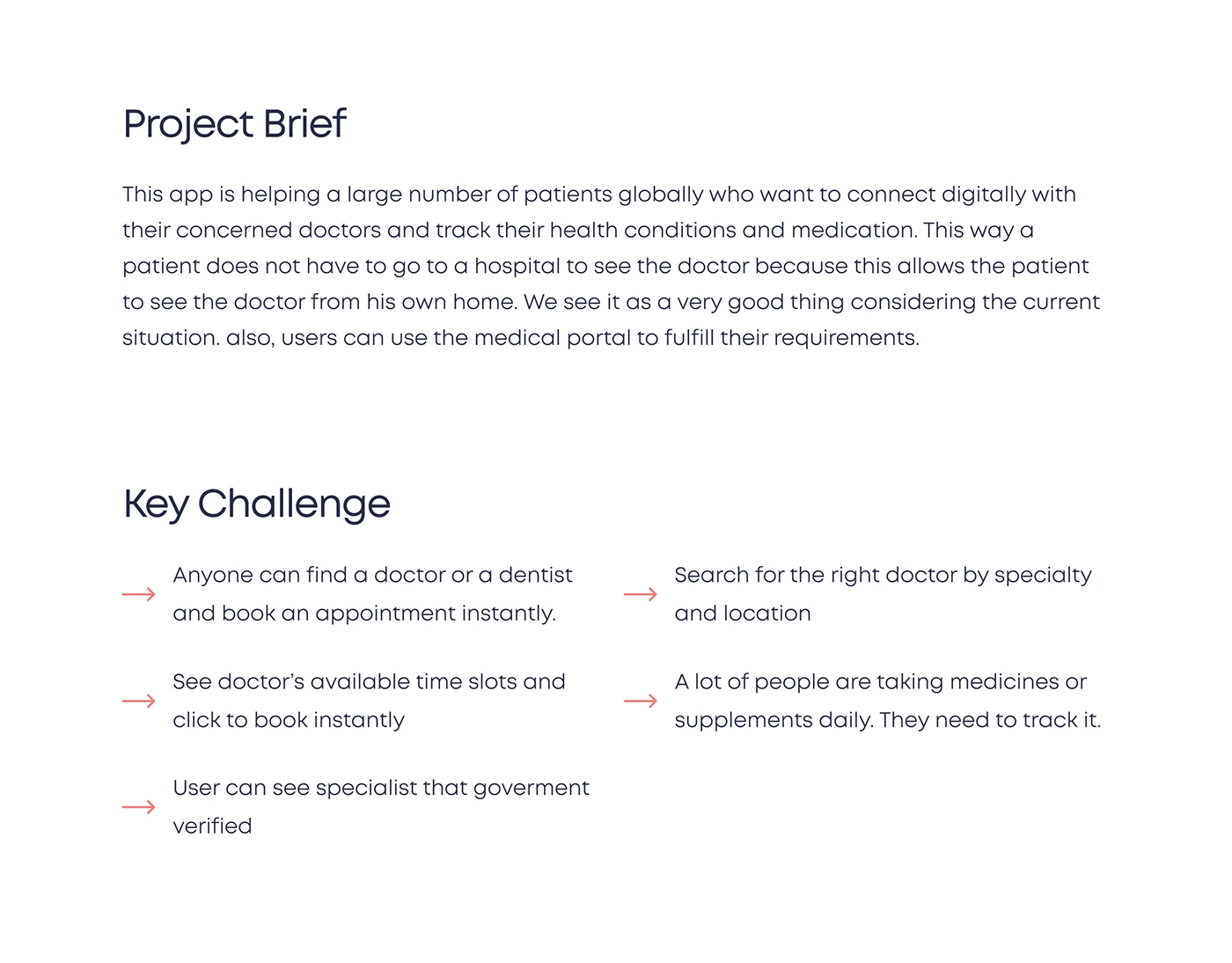
Seeing a doctor usually starts with a phone queue and ends in a waiting room. The brief was to let patients connect with the right doctor digitally and manage their health from home, while giving clinics a portal to run appointments.
Five challenges framed the work:
- Anyone should be able to find a doctor or dentist and book instantly.
- Search for the right doctor by speciality and location.
- See a doctor's available time slots and book in one step.
- Show which specialists are government-verified.
- Many people take medicines or supplements daily — they need to track them.
Process
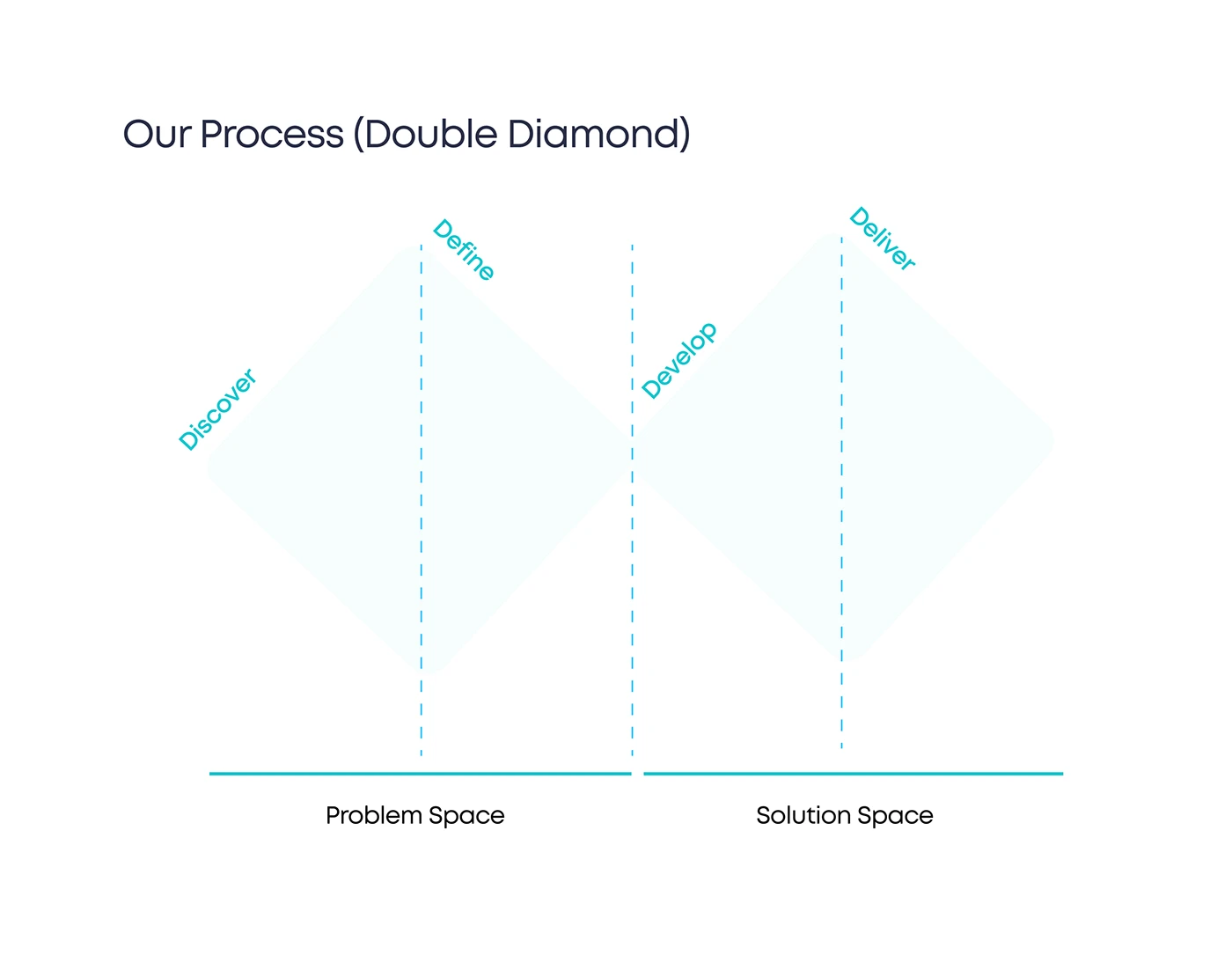
We worked through a double diamond — diverging to understand the problem space before converging on a solution.
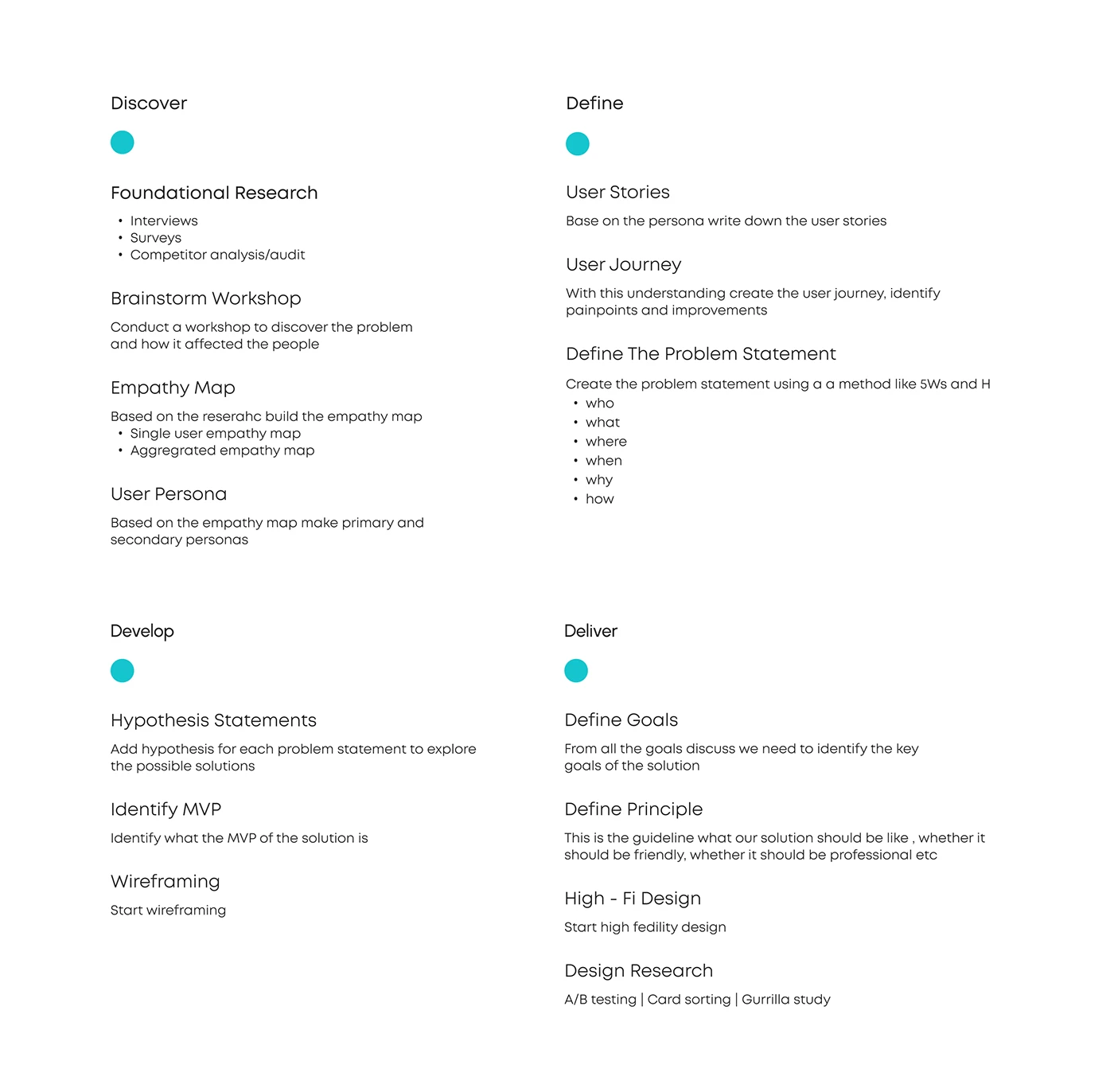
- Discover
- Interviews, surveys and competitor analysis; a brainstorm workshop; empathy maps; personas.
- Define
- User stories, user journeys with pain points, and a problem statement built with the 5W1H method.
- Develop
- Hypothesis statements per problem, an MVP definition, then wireframing.
- Deliver
- Goals and design principles, hi-fi design, and planned design research (A/B testing, card sorting, guerrilla study).
Research & empathy
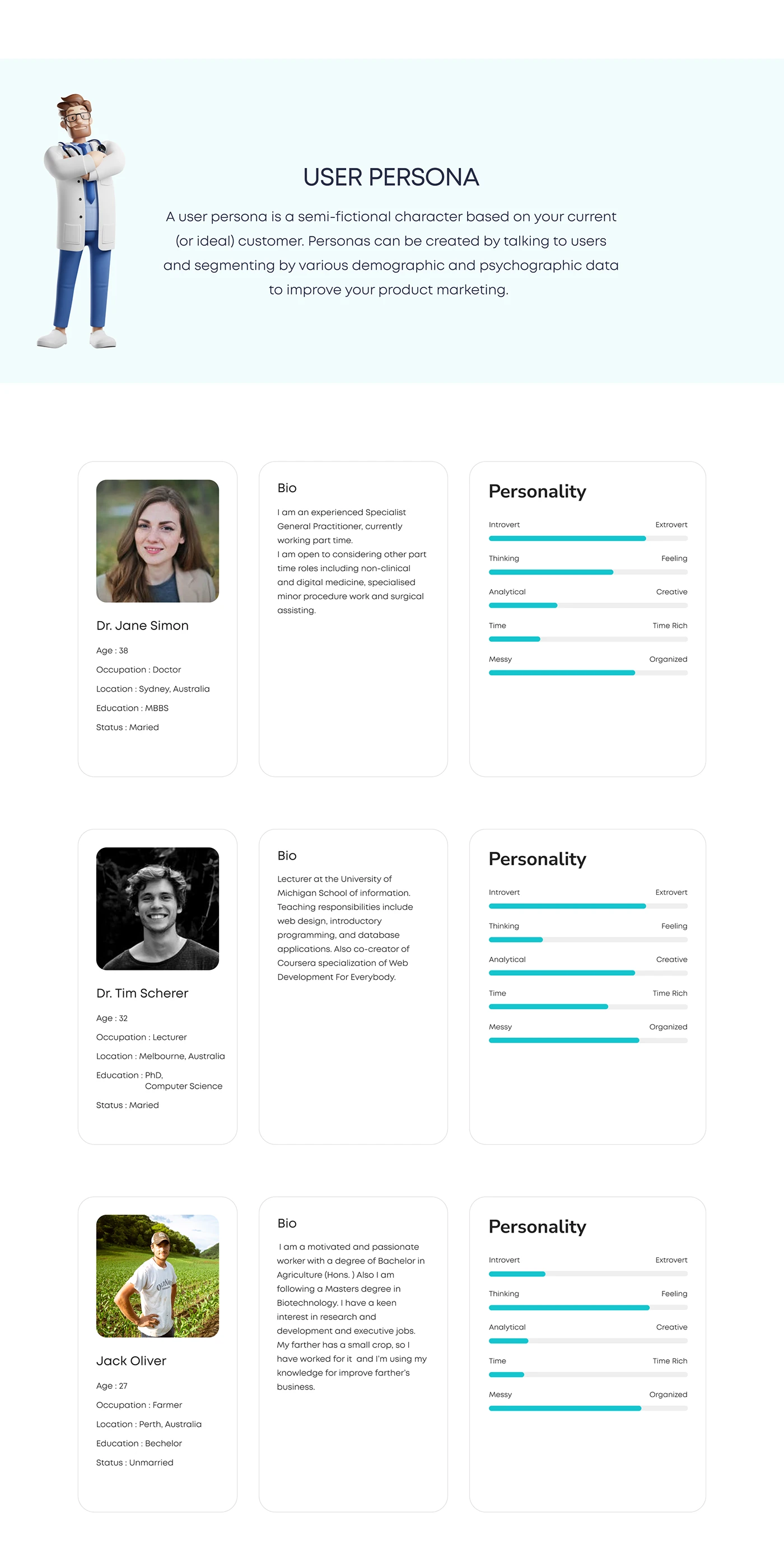
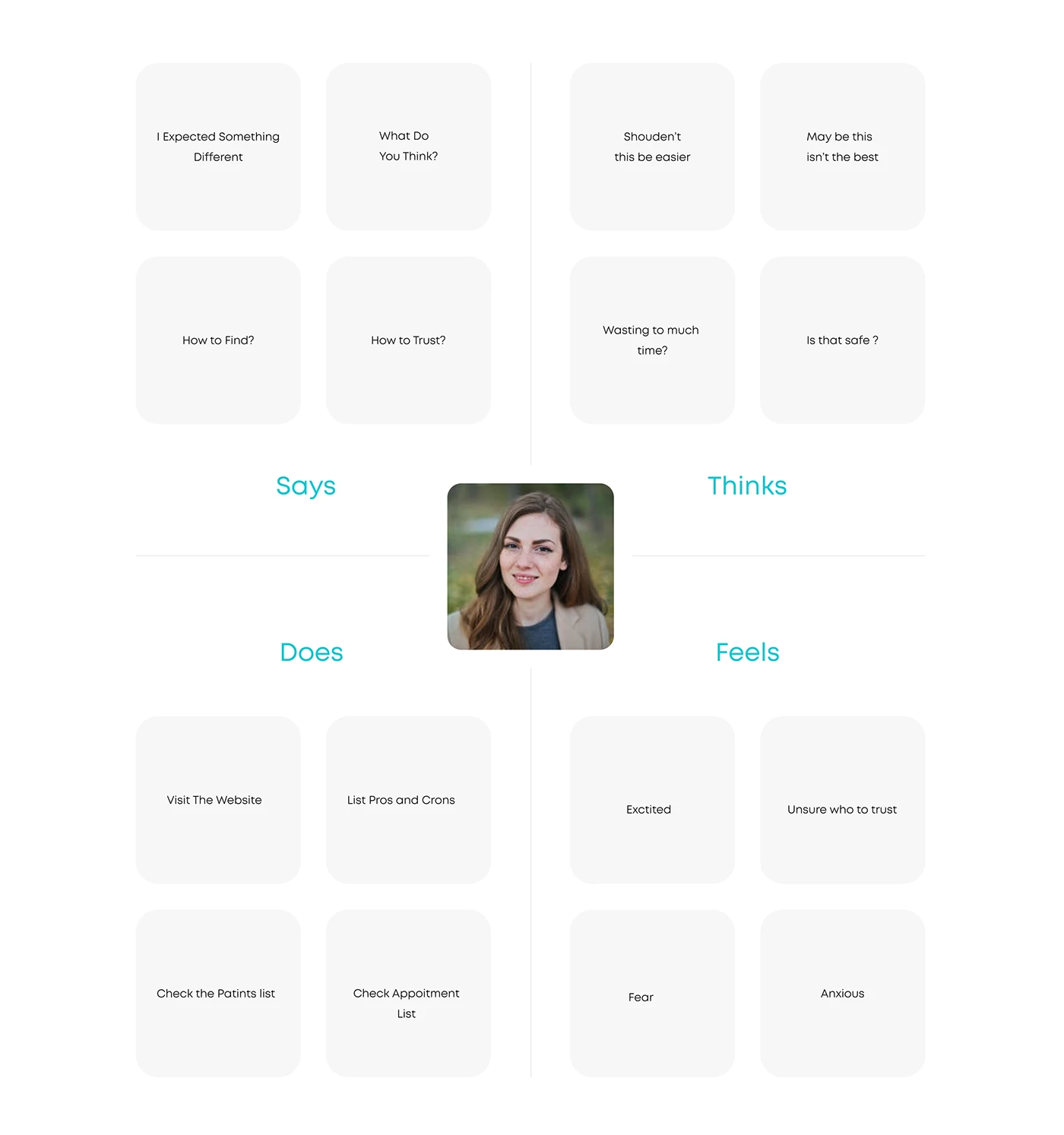
Personas and empathy maps kept three very different people in the room: patients anxious about who to trust and how long they would wait, and doctors who needed their schedule to stay manageable. The empathy maps captured what each group says, thinks, does and feels — “Is that safe?”, “How to trust?”, “Waiting so much time”.
Use cases, flows & wireframes
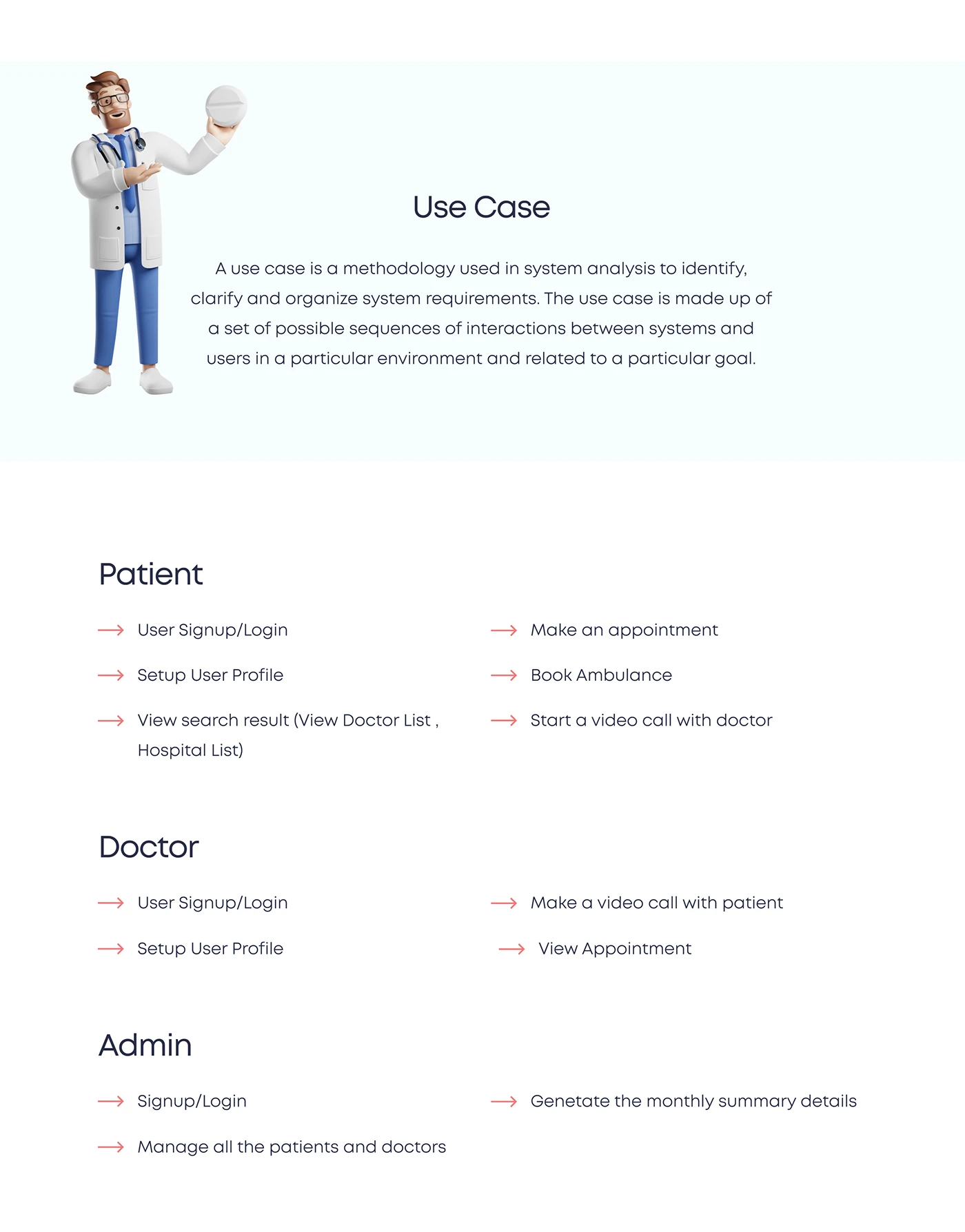
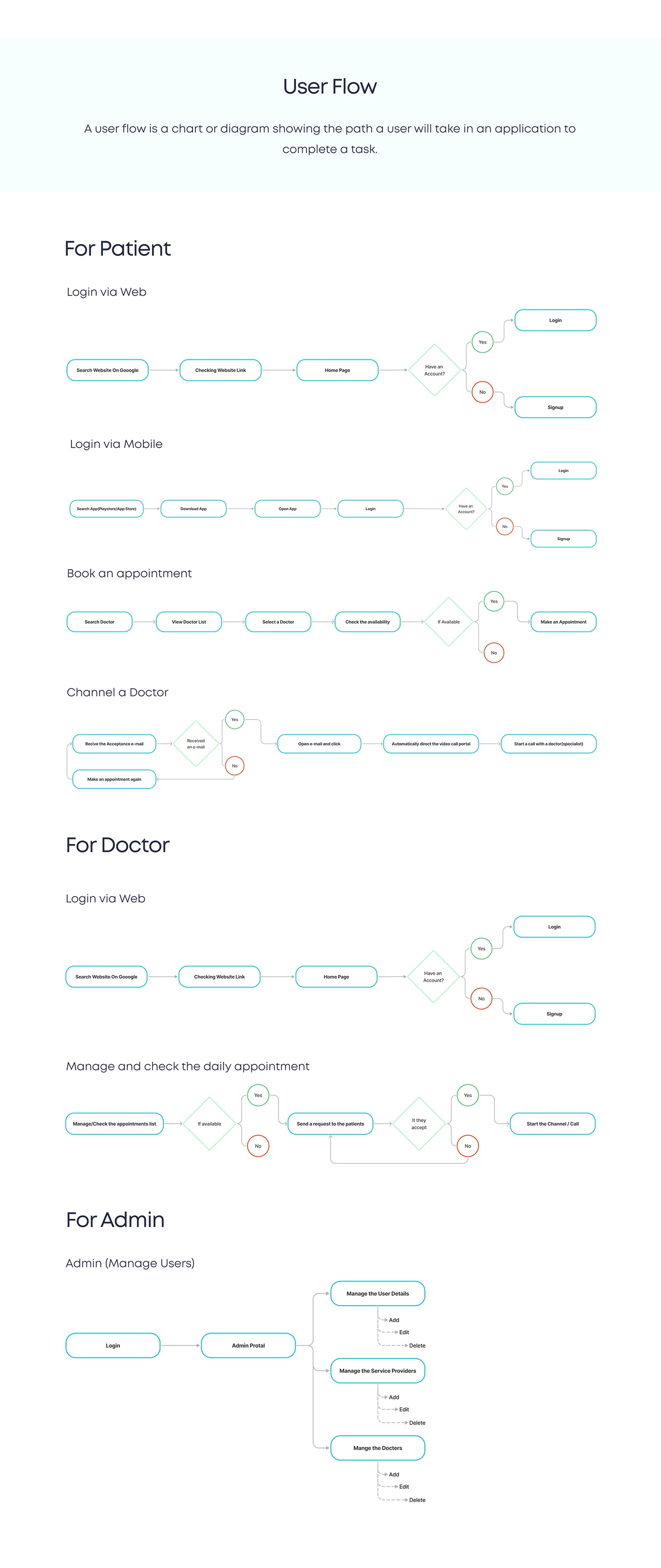
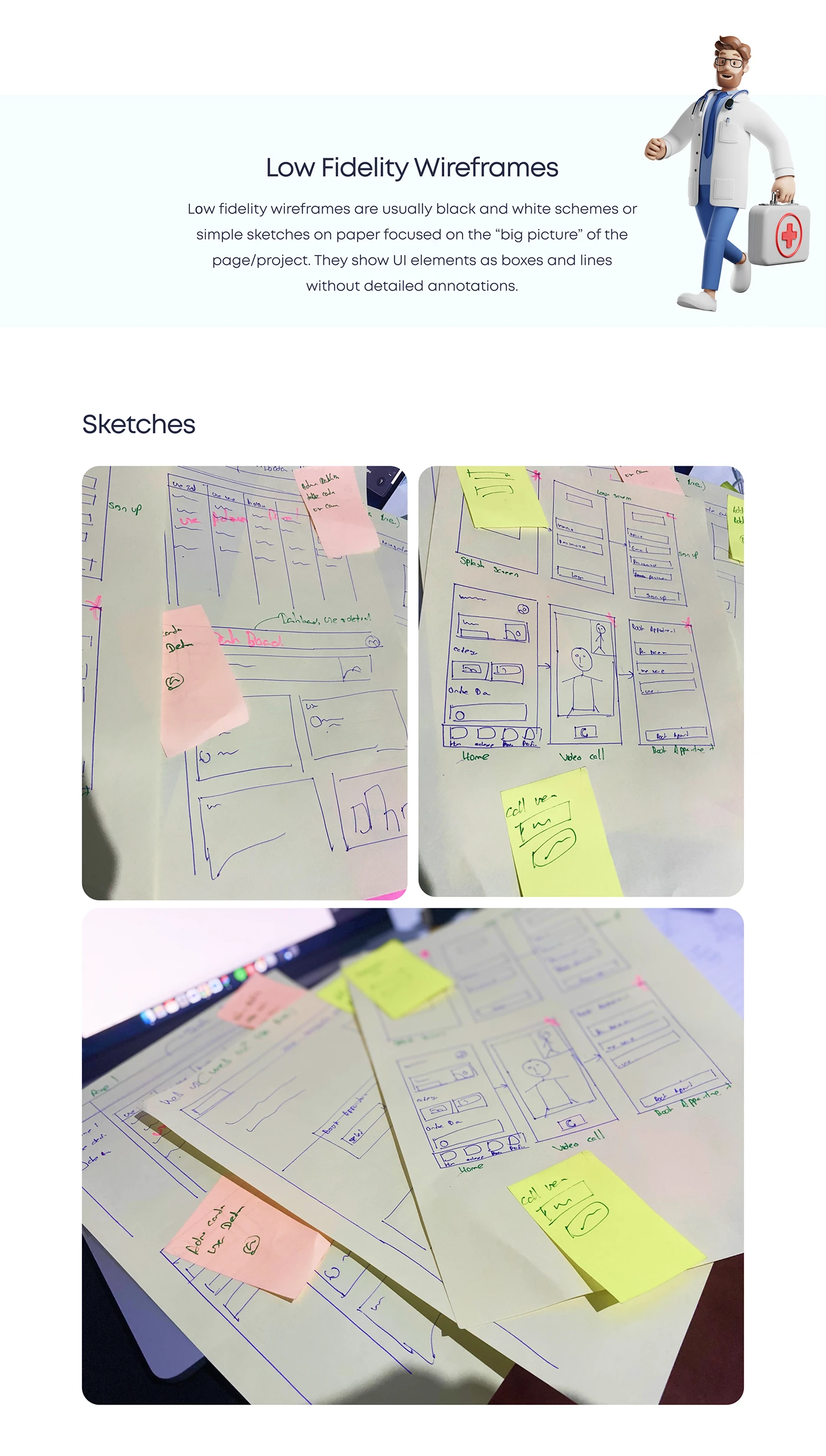
Three roles, three sets of jobs. Patients sign up, search, book appointments, book an ambulance and start video calls. Doctors manage profiles, appointments and video consultations. Admins manage patients and doctors and generate monthly summaries. Those use cases became user flows per role, then paper sketches and low-fidelity wireframes.
Visual direction
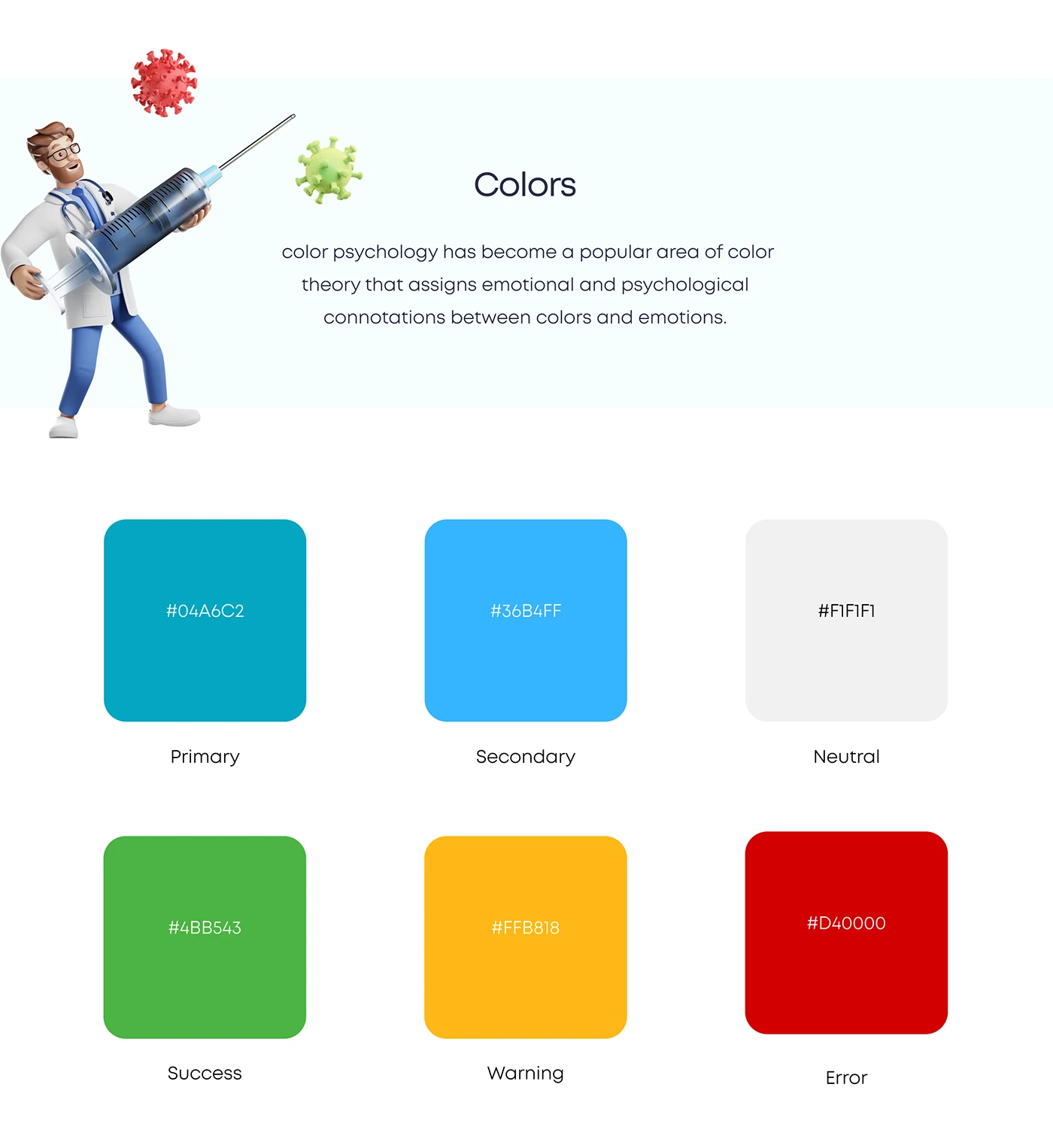
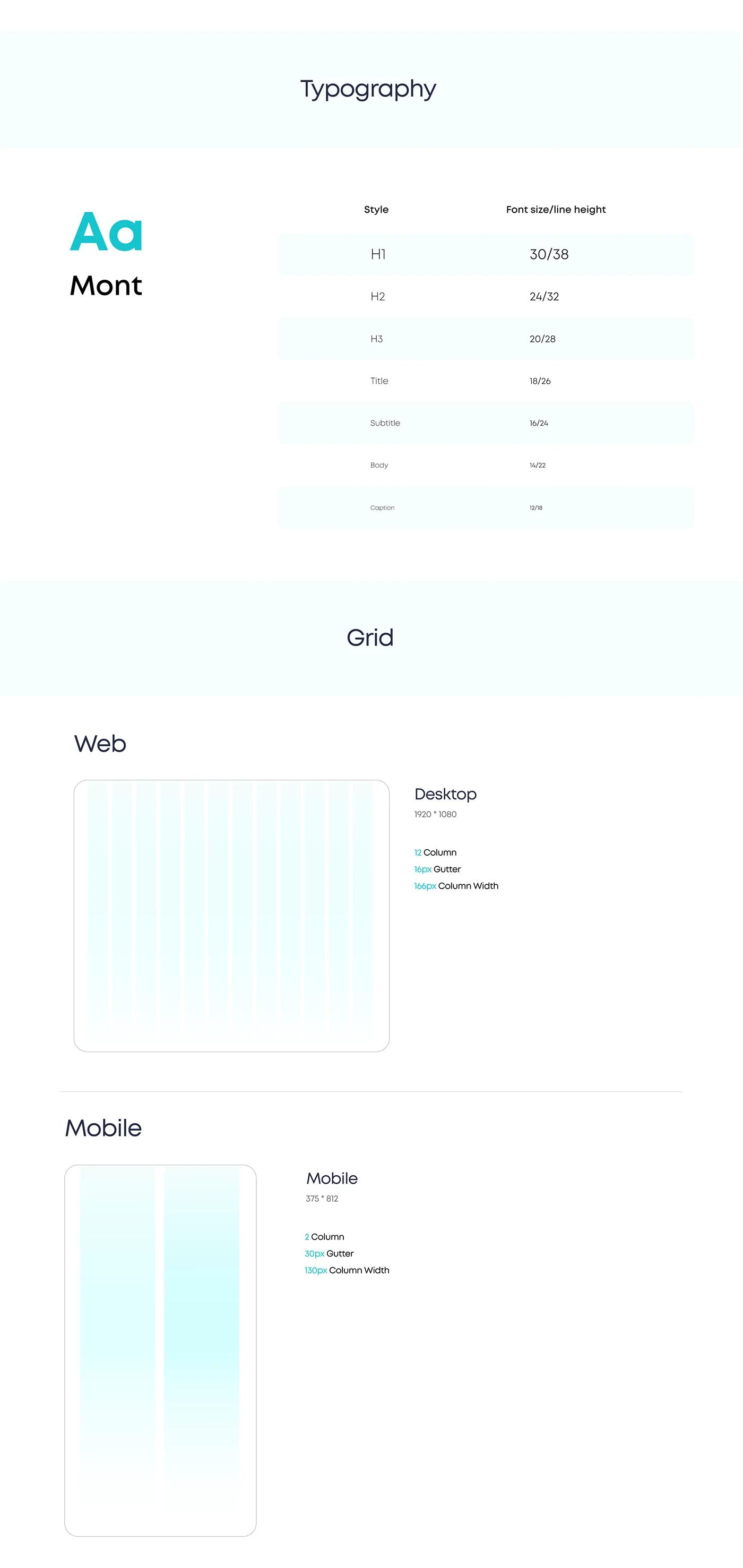
A clinical-but-friendly palette: a teal primary (#04A6C2) and sky-blue secondary (#36B4FF), with distinct success, warning and error colours so status always reads at a glance. Mont as the typeface, and separate web and mobile grids.
- #04A6C2
- #36B4FF
- #F1F1F1
- #4BB543
- #D40000
From wireframe to interface
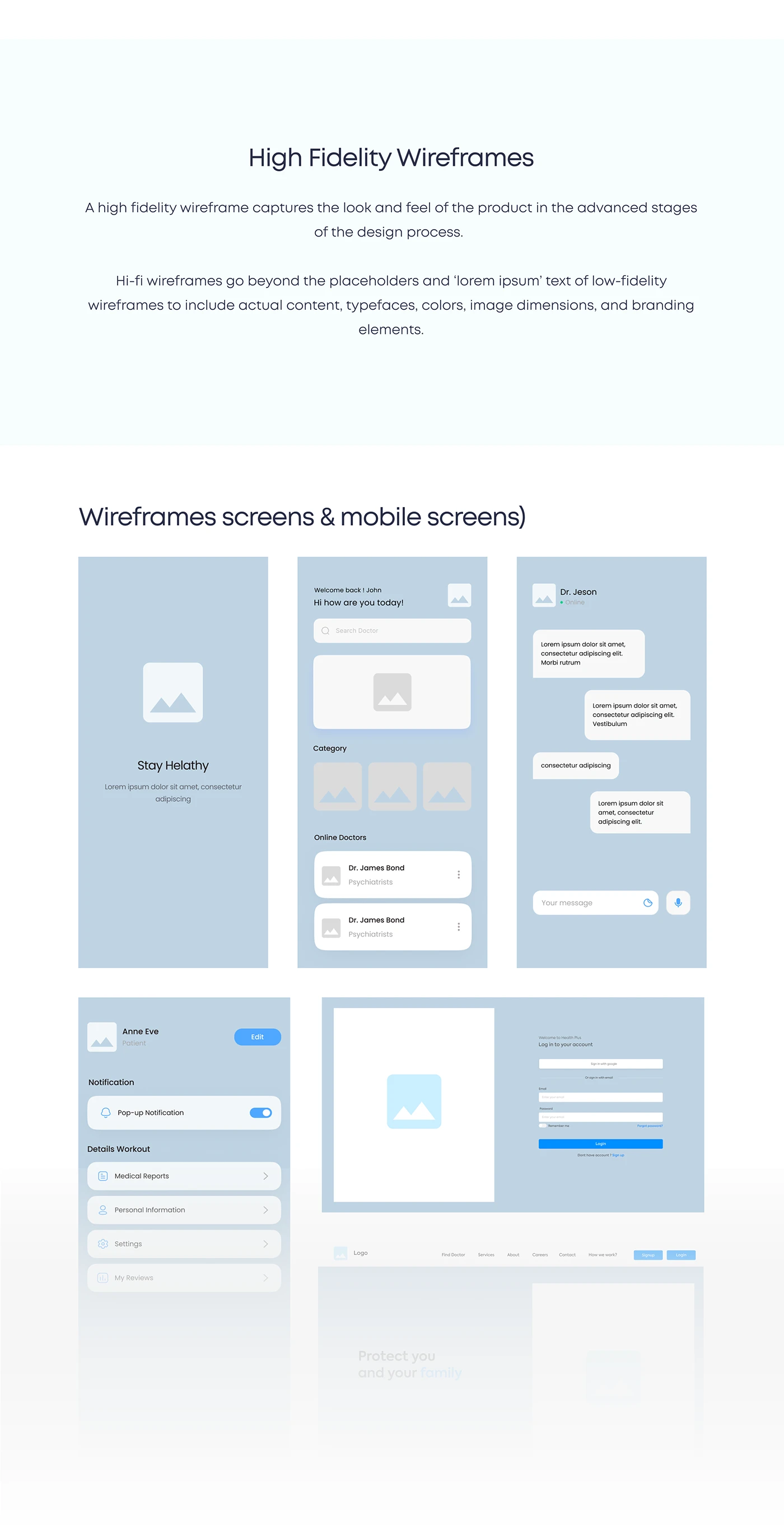
Drag the divider to compare the high-fidelity wireframes with the final interface.